
 English


About the game
The description will appear after syncing with Steam.
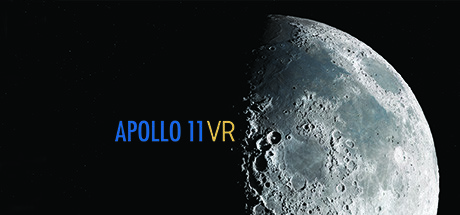
Apollo 11 VR
where to buy cheaper: prices at 1 store, Steam RU and KZ
IDIA Labreleased 1 August 2019Steam 60 % positive
Free to play: just add it to your Steam library. Only editions and DLC cost money.
 Russia
 Kazakhstan
- ОС *: Windows 7 SP1+
- Processor: SSE2 instruction set support
- Graphics: GTX 970+
- DirectX: Version 10
- Storage: 740 MB
- VR Support: SteamVR
No separately priced editions or DLC at the stores yet.
Our highest trust level: a store with a good reputation, selected by us. It accepts payment from Russia, and we found no systematic complaints about undelivered goods.
This is an observation based on public data, not a guarantee.
How we assess reputationMore about the store
Reputation: goodA marketplace: keys are sold by third-party sellers. Before buying, check the seller’s reviews and the key region.
This is an observation based on public data, not a guarantee.
How we assess reputationMore about the store
Reputation: goodThe company is named on the site, there is an offer agreement, Russian cards or SBP are accepted, and we found no systematic complaints about undelivered goods.
This is an observation based on public data, not a guarantee.
How we assess reputationMore about the store
Reputation: averageCompany details or the offer agreement are not disclosed. We found no systematic complaints, but check the key region and refund terms before buying.
This is an observation based on public data, not a guarantee.
How we assess reputationMore about the store
Reputation: lowThere are systematic complaints about undelivered keys or account bans. If you buy here, keep the receipt and correspondence.
This is an observation based on public data, not a guarantee.
How we assess reputationMore about the store
Offers
| Store | Listing type | Activation region | Payment | Price | True price | Updated | |
|---|---|---|---|---|---|---|---|
| Steam Russia Standard Edition | to your library |  Russia & CIS |
Payment
—
|
price
free
3 weeks ago
|
true price
free
|
3 weeks ago | On Steam |
| Steam Kazakhstan Standard Edition | to your library |  Activation region: Kazakhstannot for your region |
Payment
—
|
price
free
3 weeks ago
|
true price
free
|
3 weeks ago | On Steam |
True price includes the top-up fee and the exchange rate, so you compare like with like.
How to buy from Russia
FAQ
How much does Apollo 11 VR cost?
Apollo 11 VR is free to play: just add the game to your Steam library. Only editions, bundles and DLC cost money.
Can Apollo 11 VR be activated in Russia?
Yes. The game is sold on Russian Steam, and keys with the “Russia & CIS” and “Global” regions activate on a Russian account.